

screenpipe #07 | Native macOS UI, Parakeet Engine, iPhone Pipes, 10x Meeting Detection, Enterprise
screenpipe 2.2.251 - native macOS UI, iPhone features, smarter meeting detection, offline mode, enterprise
Hey all,
Louis here.
We shipped 300+ commits: new speech engine, native macOS UI overhaul, 10x meeting detection across every platform, usage tracking, and many fixes and improvements.
Our daily active users doubled this week, love you!
Please update the app, it might be outdated
🎤 iMessage pipe & Voice memo automatic transcription pipe
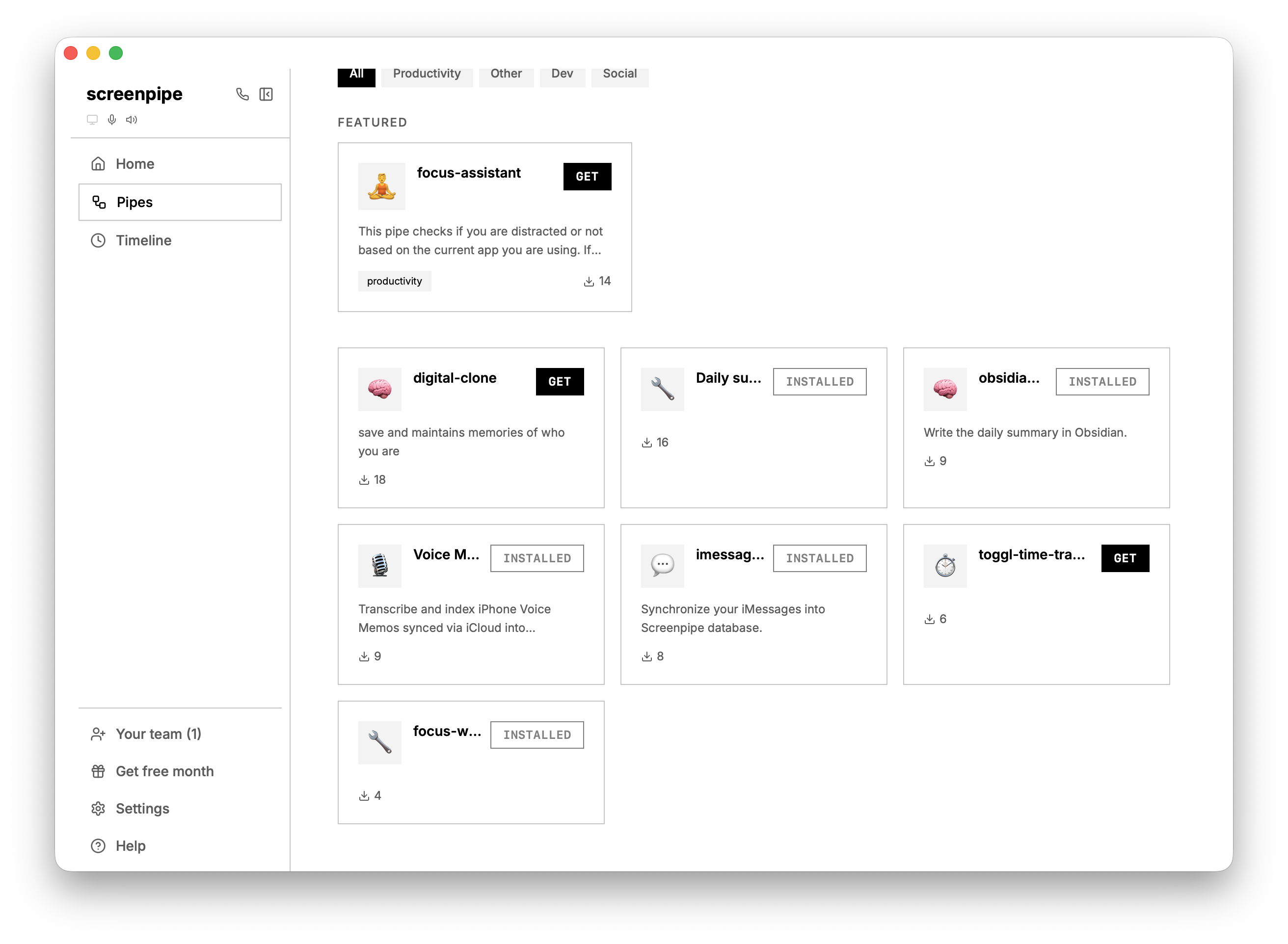
We added a few pipes to the store, including:
- iPhone Voice memo pipe - turn iCloud sync on, your voice memo will be synchronized to your Mac automatically and screenpipe will transcribe them and add them to your database
- iMessage pipe - turn iCloud sync on, it will sync your messages to screenpipe database
🧠 New AI models
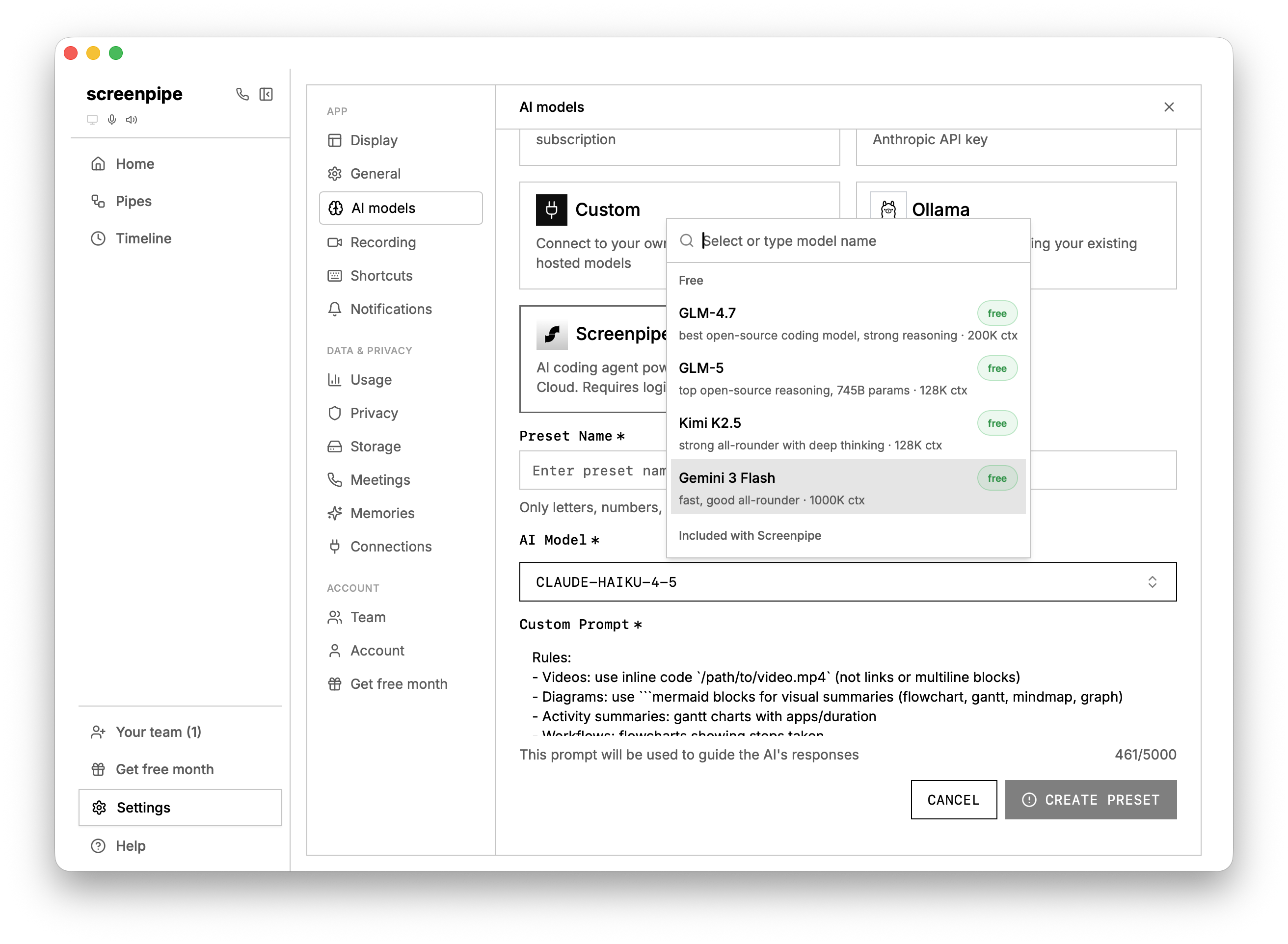
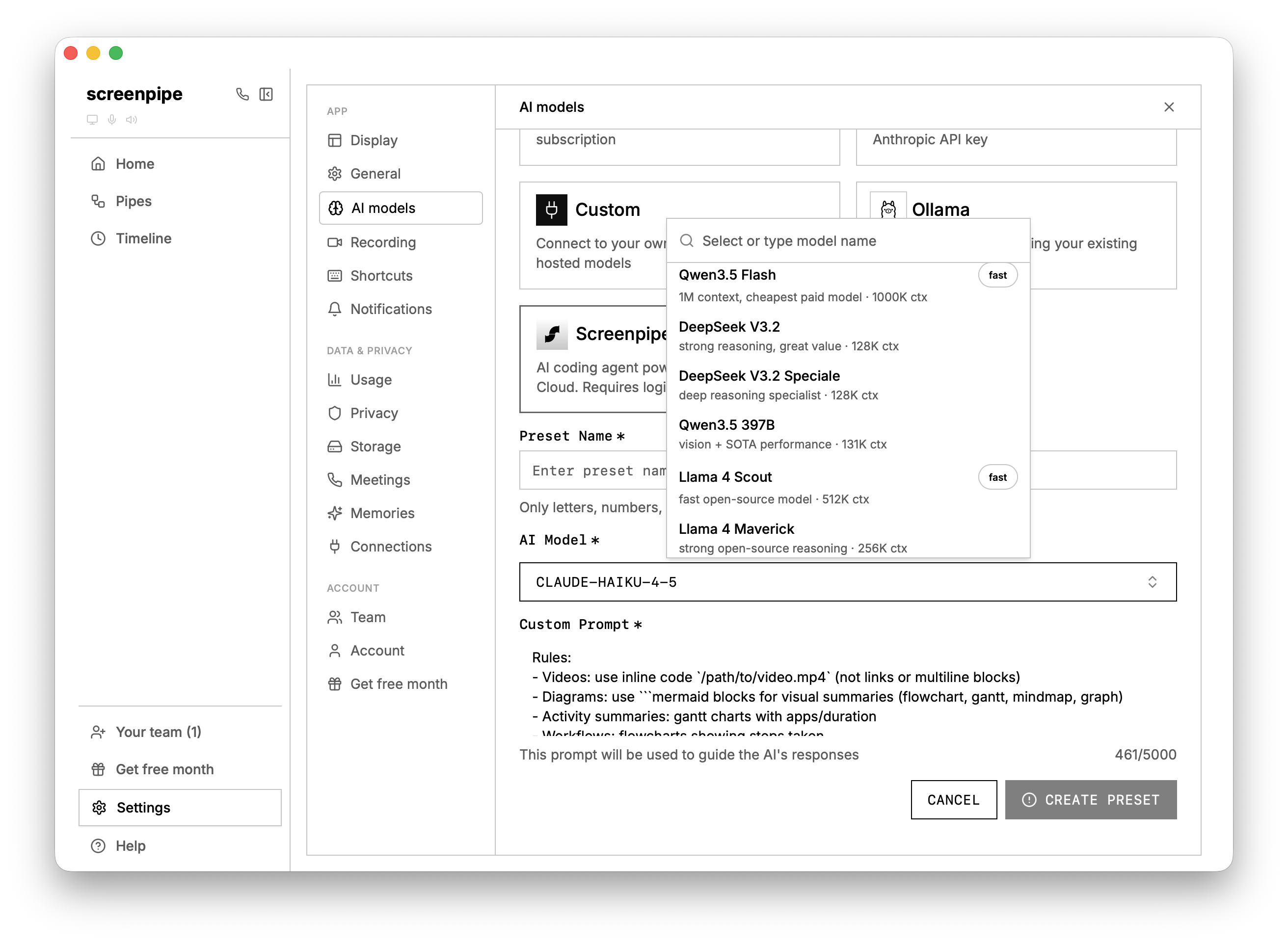
Pipes can consume a lot of usage, that's why we're adding new models with higher, or infinite usage thanks to partnerships we've made with AI providers.
Now you have no excuse to automate everything in your life. Just ask screenpipe workflows you're doing regularly and ask to automate them.
🎙️ Parakeet transcription engine
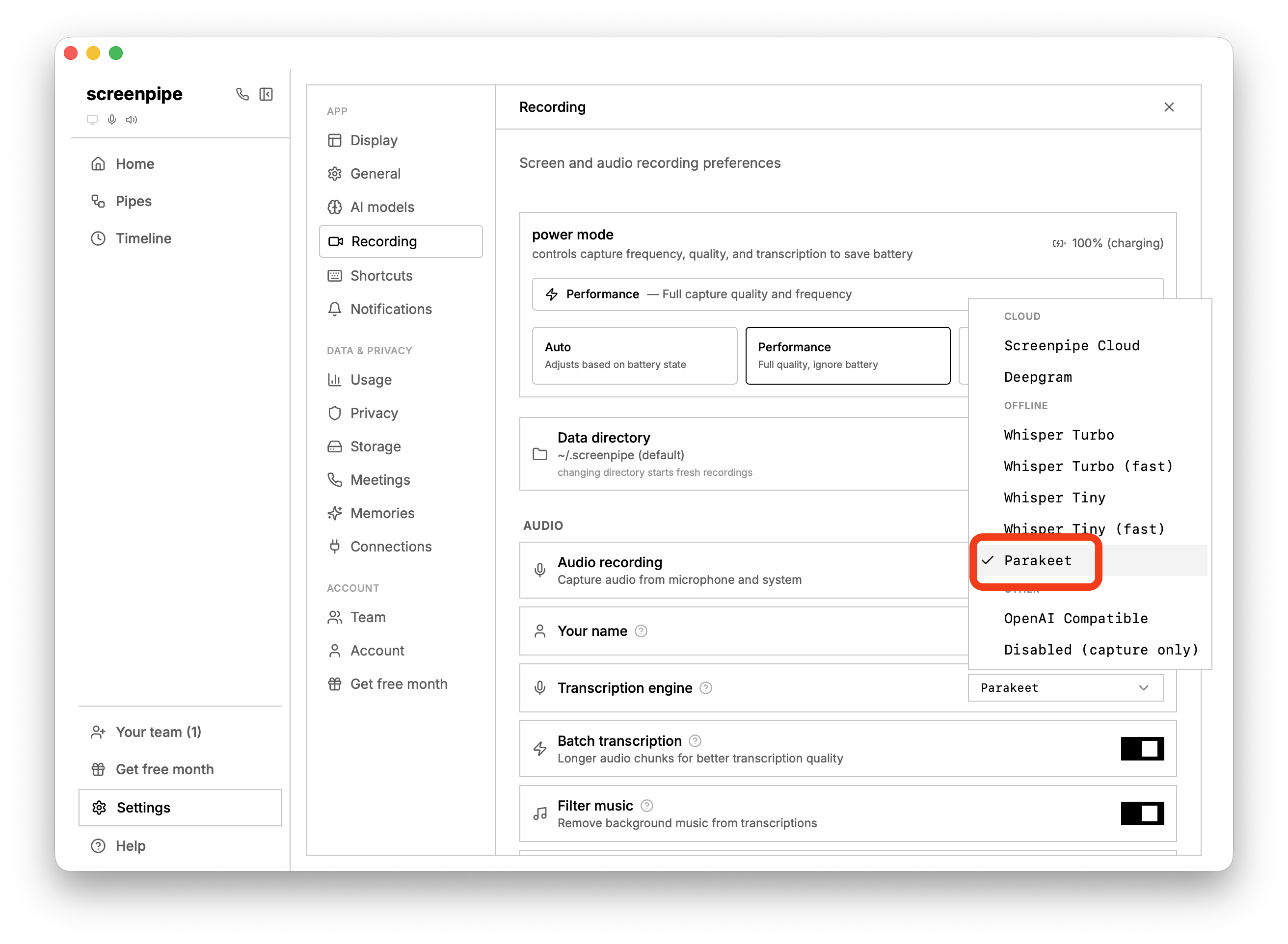
New default transcription engine: NVIDIA Parakeet. Faster and more accurate than Whisper. CoreML acceleration on macOS, DirectML on Windows. Whisper still available as fallback.
🍏 Native macOS views
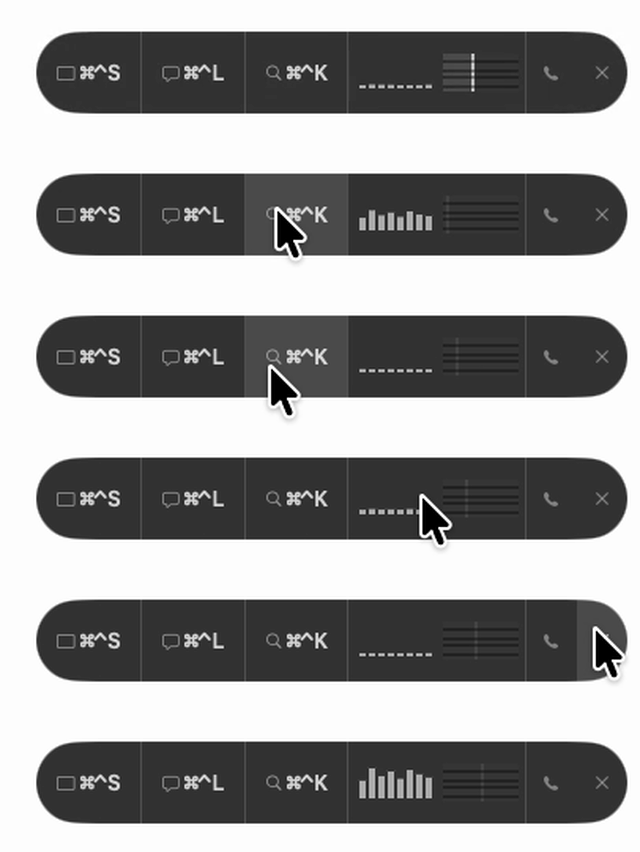
New collapsible native macOS pill at the top of your screen. Shows live audio levels, screen capture status, and meeting indicators. Expands on hover to reveal timeline, chat, and search shortcuts.
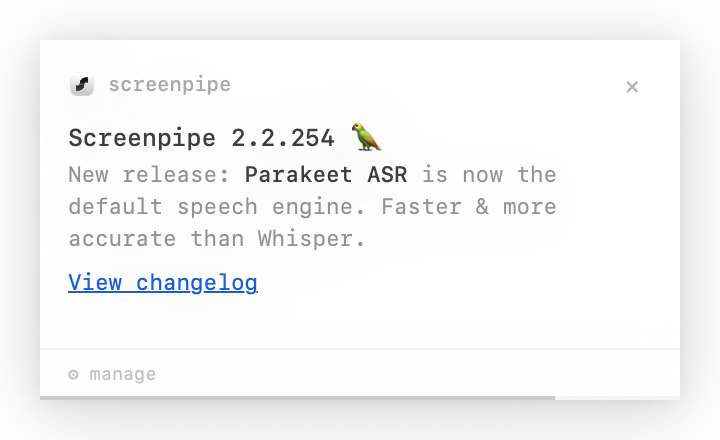
Replaced the old web-based notifications with a native macOS panel. Supports markdown, clickable links, file paths, per-pipe muting, notification history, and a bell icon to manage everything. Pipes can autonomously decide to send you custom notifications with custom actions (that can trigger other pipes on click).
Linux and Windows still have the React based interface.
📆 Meeting Detection Overhaul
- Discord, Zoom (desktop + web), Google Meet, Microsoft Teams all detected reliably based on what you do on your computer (unlike most transcription app which have lower detection accuracy relying only on calendar)
- Calendar-assisted speaker diarization - matches speakers to your calendar attendees
- Auto-suggest attendees and notes from screen recordings
Currently the meeting detection feature is more intended for AI and transcription more than for humans, in order to reliably transcribe at the right boundaries and AI can list all the meetings you had every day.
📊 Usage Dashboard
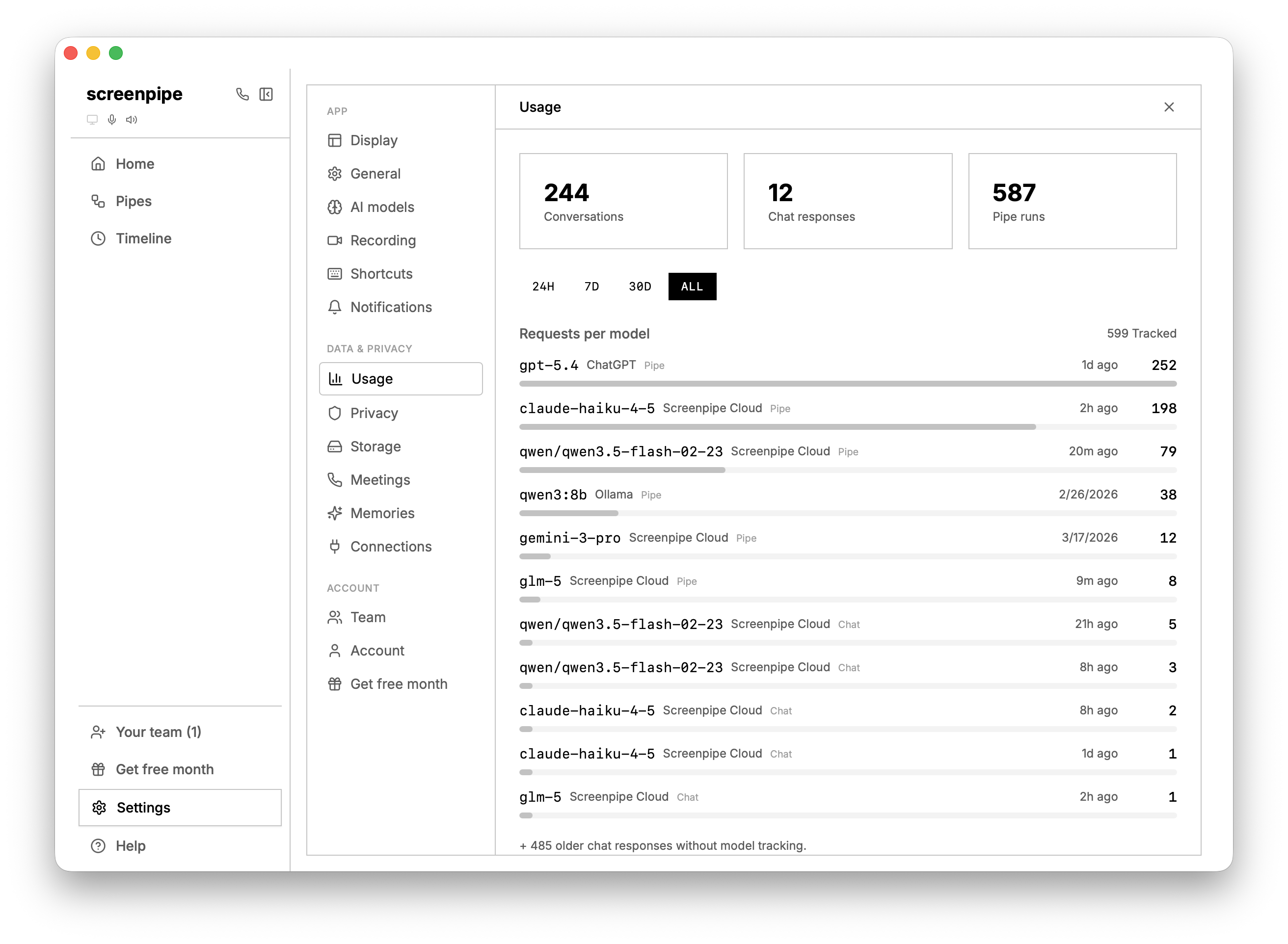
Track AI usage across all AI models. Filter by 24h/7d/30d. See per-model breakdowns. Cost tier badges and warnings on expensive models.
📺 DRM Detection and offline mode
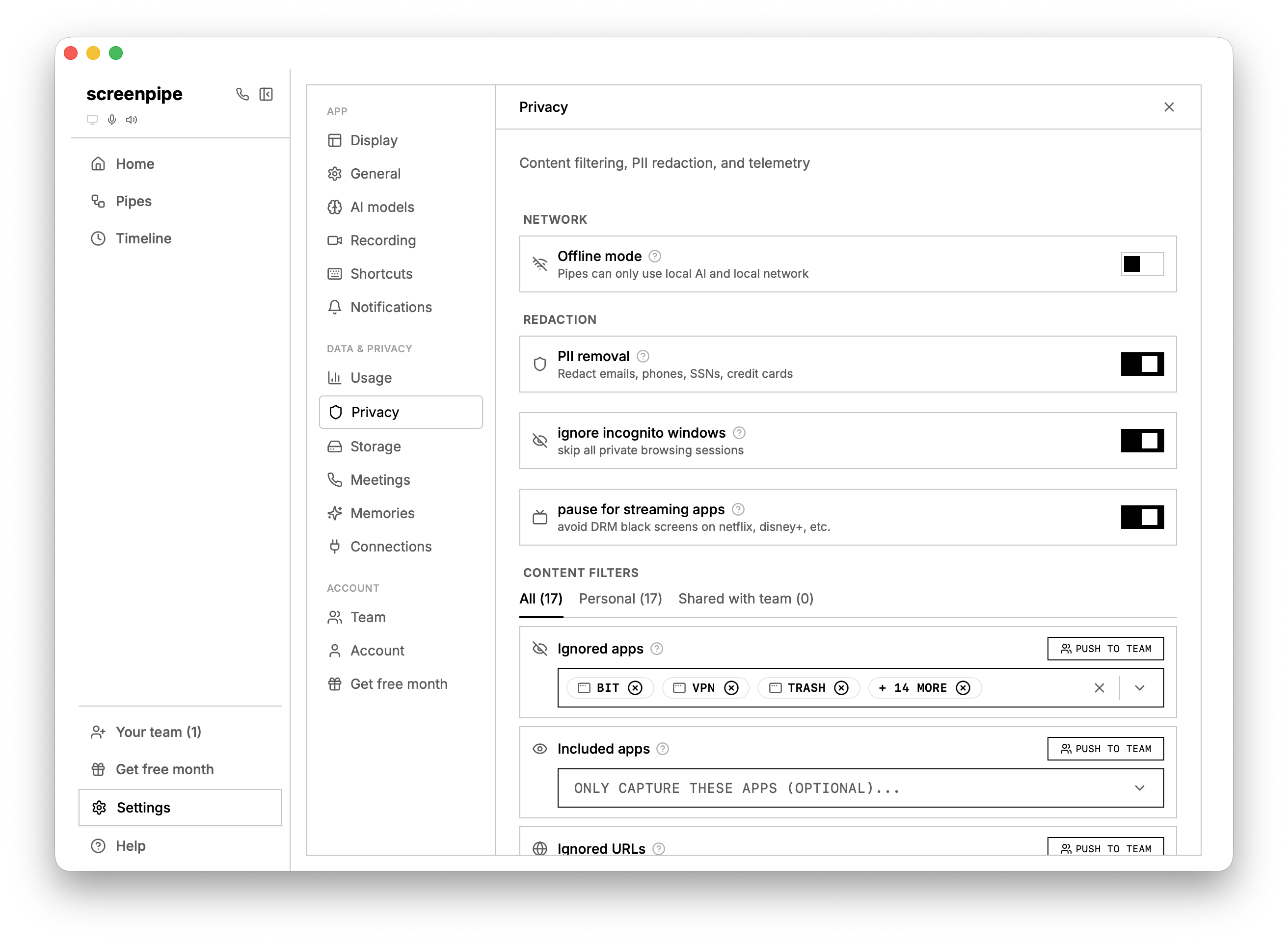
Screenpipe now detects DRM-protected content (Netflix, etc.) in browser and pauses recording automatically. Enabled by default with a toggle in privacy settings.
Offline mode is a security feature that prevents pipes from accessing the internet, which is a feature used in some enterprise deployment of screenpipe.
🤓 screenpipe CLI upgrade
We're upgrading the screenpipe CLI experience as it is one of the main tool used by AI in pipes, it is also a good way to deploy screenpipe to other of your computers to run pipes across multiple machines or keep track of what's been done on this computer.
Try it today: npx screenpipe@latest record
Added a new screenpipe doctor CLI subcommand. Diagnoses permissions, audio devices, and system health issues.
⏬ Live Pipe Execution Streaming
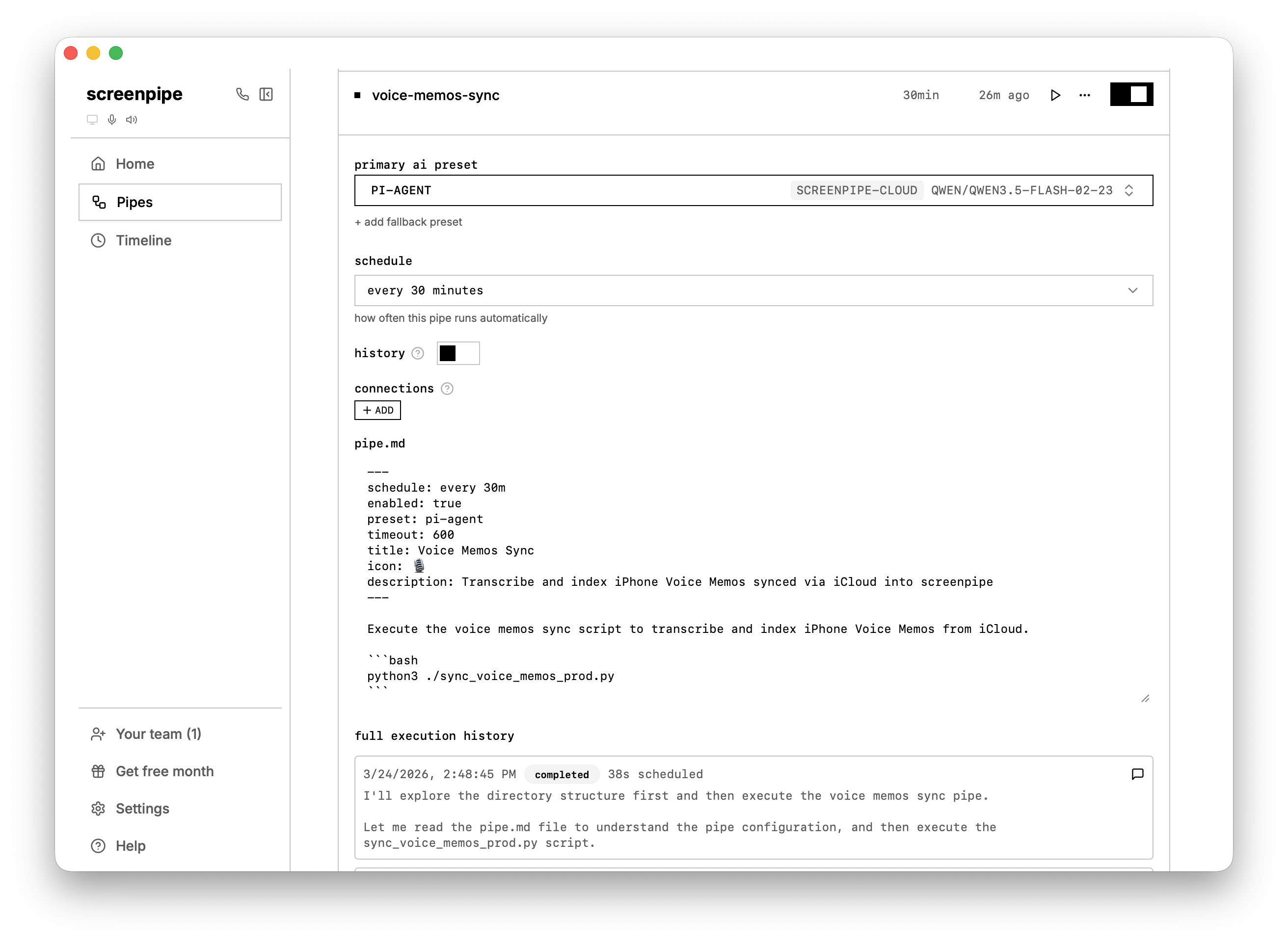
Watch your pipes run in real-time. Execution history streams live output. View pipe results directly in chat. Chat history syncs and auto-saves.
🧠 AI & Models
- Enriched model catalog with tags, descriptions, and free tier badges
- Anthropic prompt caching
- Improved cost tracking
- Drag-and-drop reordering for AI presets
🪈 Pipes & Automation
- Pipes use your default AI preset when none specified
- Pipe permissions system with endpoint-level control
- Tombstone system prevents deleted pipes from auto-restoring
- One-click pipe updates from store
- Publish to store button
- Custom headers for OpenAI-compatible transcription endpoints
- Notification actions can open results in chat and pipes can trigger other pipes
Platform Fixes
🪟 Windows
- Fixed inverted colors (double BGRA→RGBA swap)
- Fixed overlay position
- Eliminated WGC orange border flash with persistent capture when using Windows enterprise
- Fixed Escape key sometimes not closing timeline
- Windows build is now signed
🍏 macOS
- Fixed overlay crash when clicking shortcut reminder
- Fixed Arc incognito detection
- Comet browser (Perplexity) URL capture and DRM support
📀 Data & Storage
- Local data retention (auto-delete after 14 days, configurable)
- Cloud archive encryption decoupled from sync
✅ Other Improvements
- Better support for low end devices (older than 5 years)
- Memory pressure relief
- Removed legacy FPS/adaptive FPS settings
- screenpipe enterprise build & dashboard
- Browser extension bridge so pipes can execute JS in your tabs
- Native calendar exposed via connections API
- Prevented scheduler duplication
- Bun processes self-terminate properly when parent dies
- 150+ bug fixes
⏭️ What's next
- More advanced stability testing
- Trigger pipes based on what you do "when I go to linkedin" or more complex "when I answer someone on Slack and then check my mails" in addition to scheduled pipes
- Remote pipes & manage pipes across your devices
- Examples of browser automation pipes "eg. update my CRM which doesn't have API after my sales call"
- More bug fix, stability and UX improvements
- Enterprise & teams features
⭐️ Download screenpipe
⬇️ Update screenpipe
Questions? Reply to this email or join our Discord.
Show us how you use screenpipe in a quick call and earn 2 months of screenpipe pro
— Louis