

screenpipe #08 | Connect to WisprFlow, Limitless, Notion, Stripe, Apple Photos & 7 more, Work Hours Schedule, Multi-Device Management, Enterprise
screenpipe 2.3 - connect to your tools, work hours, multi-device management, enterprise
Hey all,
screenpipe now plugs into your tools natively. set work hours. manage all your devices from one place.
Please update the app, it might be outdated
🔗 Connections - plug screenpipe into your tools
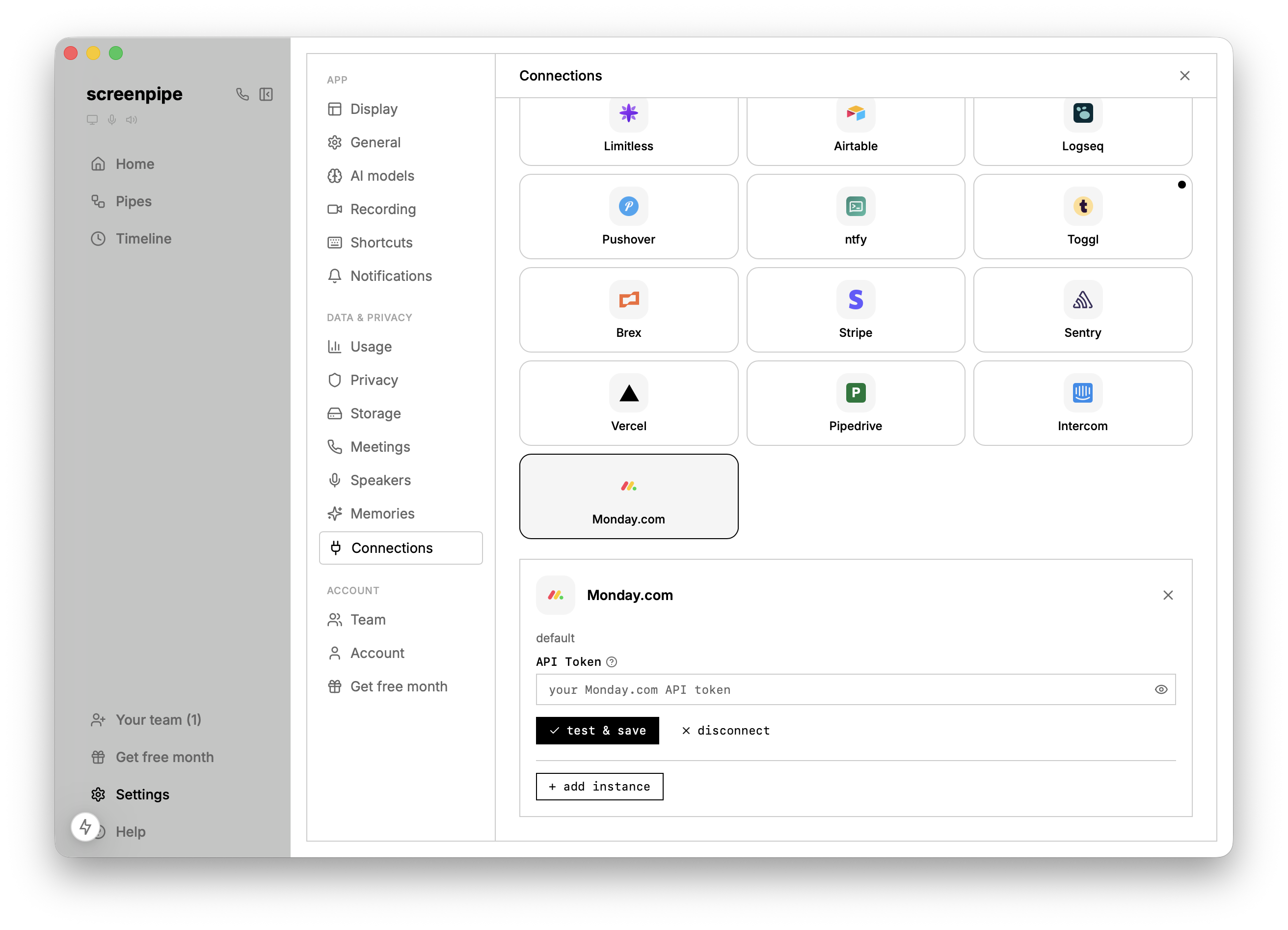
We built a generic OAuth system and shipped 10 new integrations: Notion, Monday.com, Limitless, Brex, Stripe, Sentry, Vercel, Pipedrive, Intercom, and more.
Need more integration with apps you use? Reply to this email.
Also check the new pipes (Apple Photo sync, WisprFlow, To-Do list assistant, Notion auto CRM):
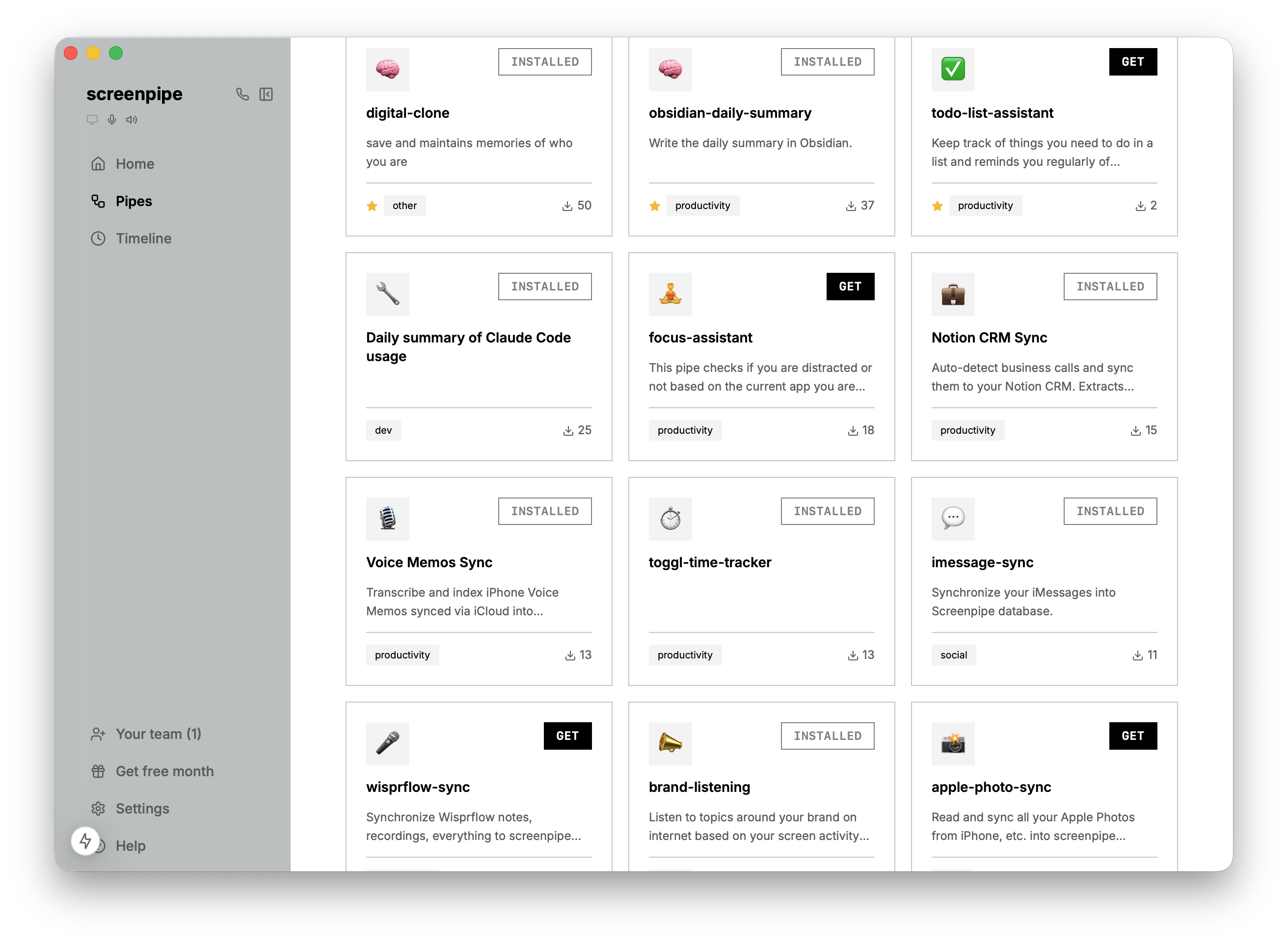
Need help with those? Call Louis
🏢 Fleet management - manage screenpipe across devices
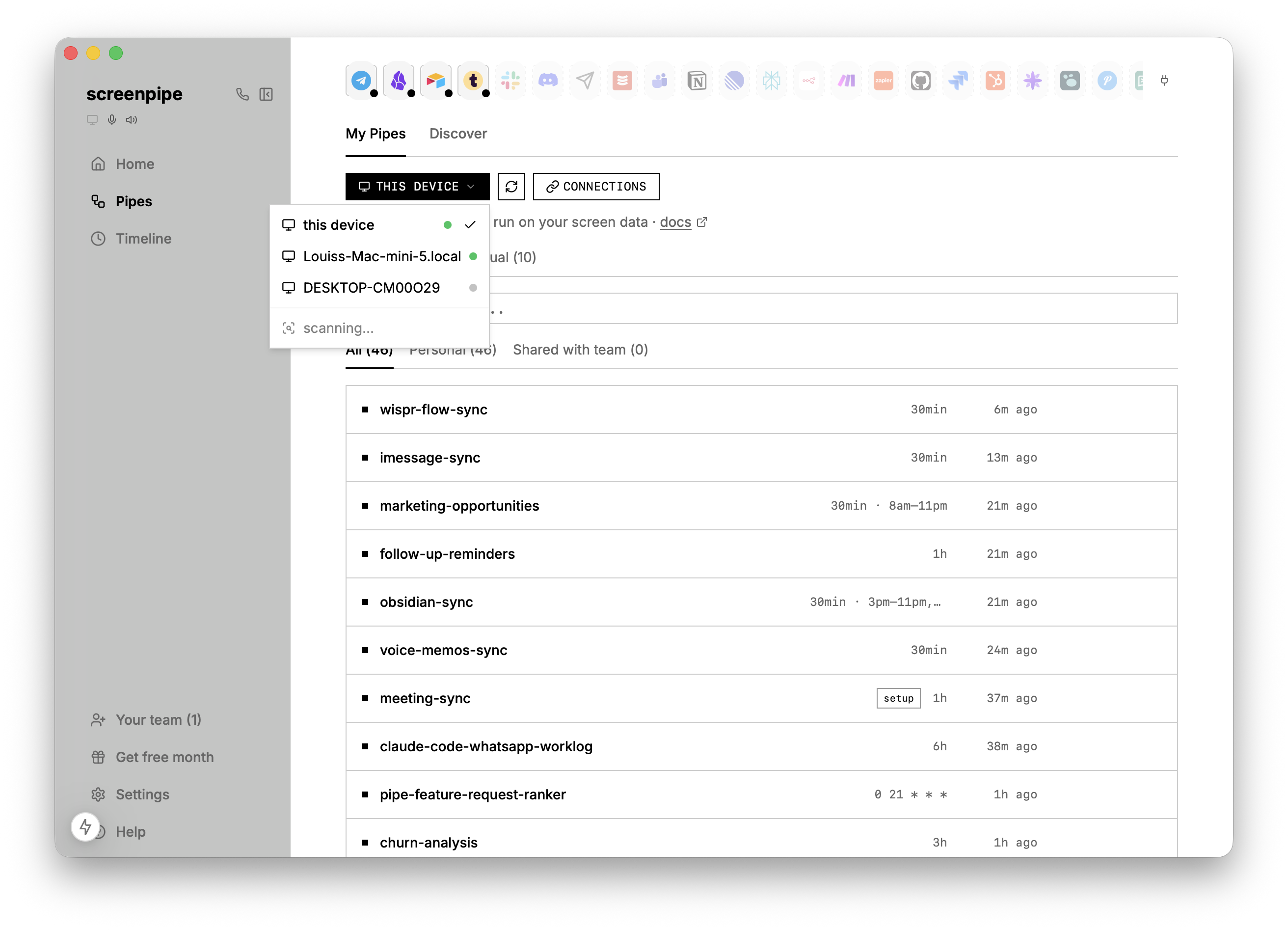
screenpipe finds screenpipe instances on your network automatically. We merged the fleet tab into the pipes view as a device dropdown - switch between your machines and manage pipes across all of them from one place.
You can even deploy screenpipe to your devices in one click.
⏰ Work hours schedule
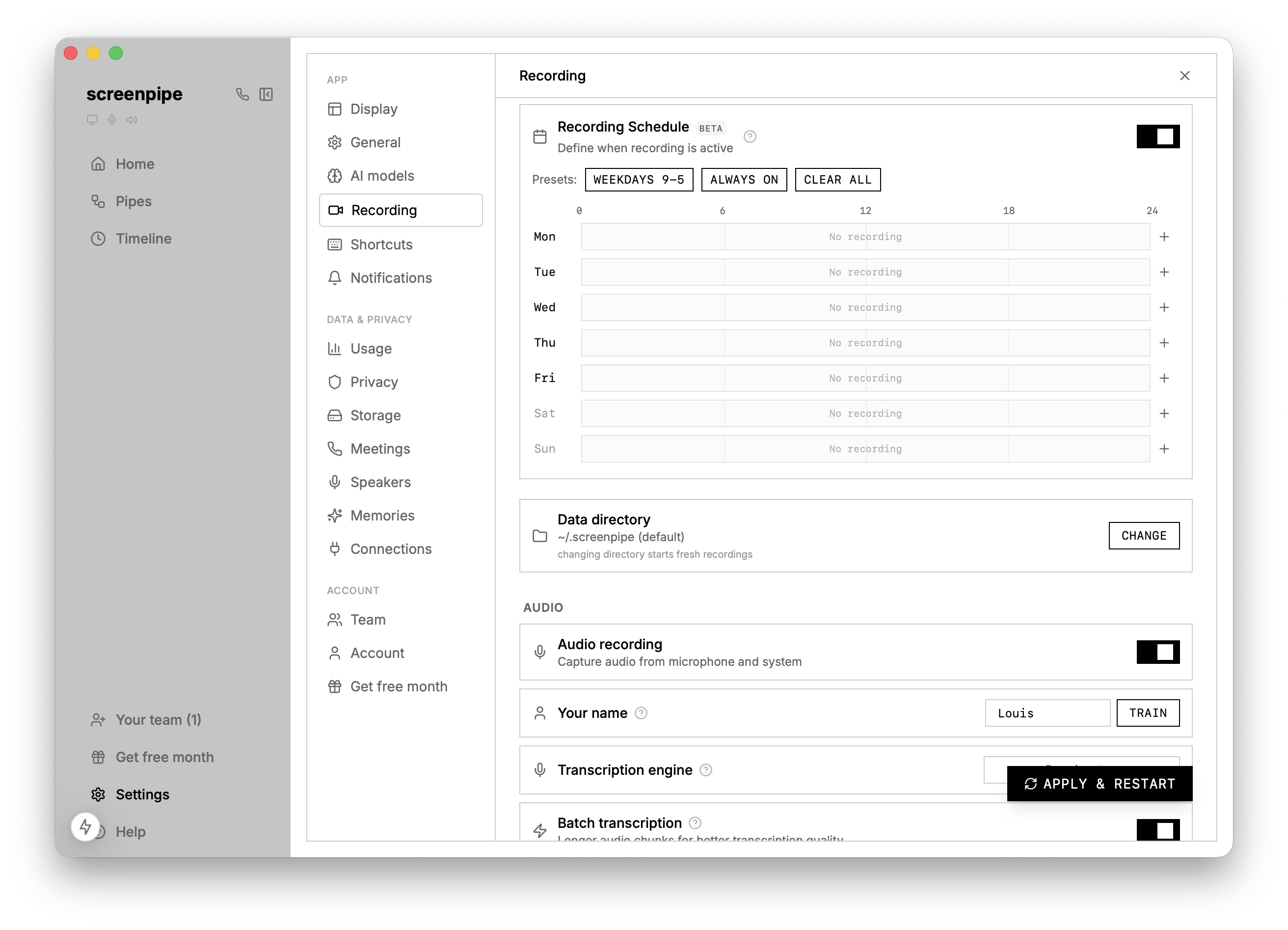
Set which days and hours screenpipe records. If you only want it running Monday–Friday 9–6, now you can. Day-of-week picker also available for individual pipe schedules.
🧠 Memories improvements
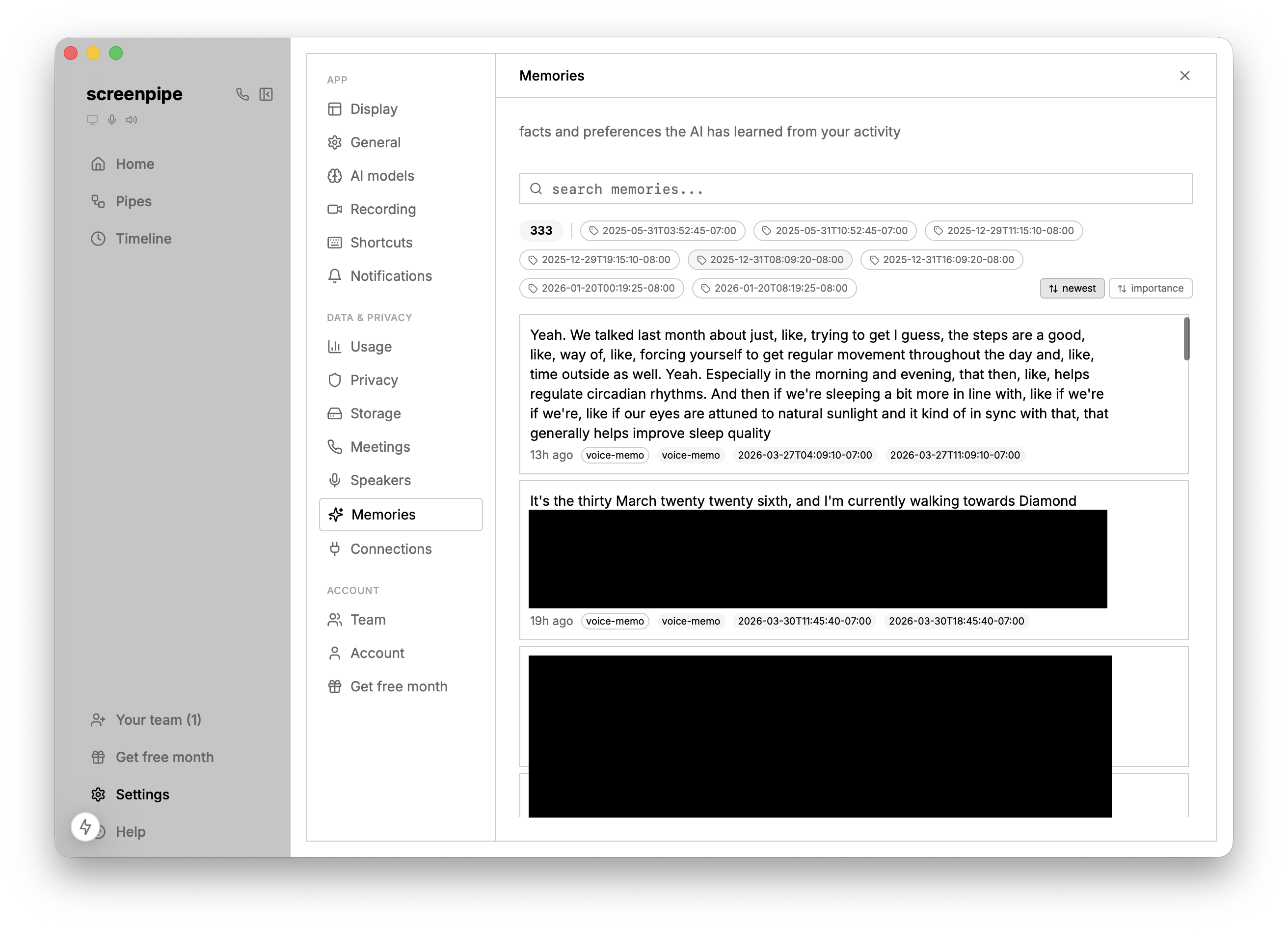
- Inline editing - click any memory content to edit it directly
- Search, tag filters, and sorting in the memories table
- Diamond markers on the timeline show where memories were created
💬 Chat & AI improvements
- Images render inline from markdown syntax
- Copy/export now includes tool calls and thinking blocks
- Gateway image support for all providers + auto vision routing
- Non-blocking model startup so timeline works immediately on fresh installs
- Per-browser automation permission controls in settings
🏗️ Enterprise
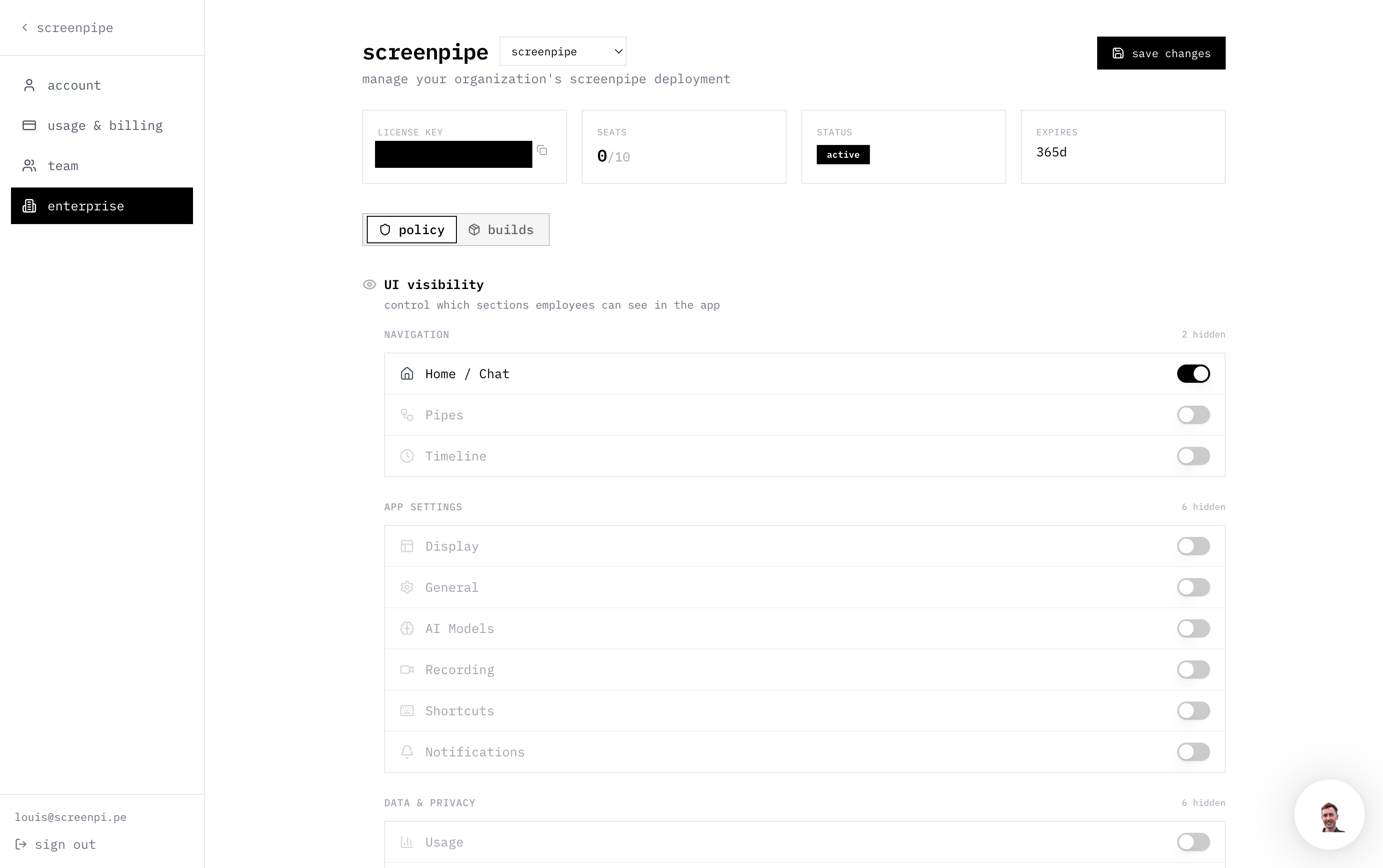
- License key activation prompt + policy caching
- Corporate proxy support - screenpipe now trusts your OS certificate store
- Tray menu items and sidebar sections controlled by enterprise policy
- Admin dashboard with usage, help, and settings sections
🤖 MCP v0.11.0
Improved tool descriptions so Claude Desktop and other MCP clients understand screenpipe's capabilities better. Added a usage guide resource. Better mcpb troubleshooting UX with "show file" button on Windows.
Download here and double click to open with Claude or go to Claude settings, developers, extensions and drag and drop the file there.
🪟 Platform fixes
Windows
- Fixed AVX-512 crash on Intel Lunar Lake (capped at AVX2)
- Hidden ffmpeg console windows + all subprocess console windows
- Reliable bash/PortableGit download for Pi agent
- Fixed ChatGPT OAuth callback
macOS
- Fixed launch crash on macOS 14 with parakeet-mlx
- WKWebView auto-reload when content process terminates
- Allow macOS idle sleep when screenpipe is running (no more preventing your Mac from sleeping)
- Fixed mDNS hostname conflict dialog
- Pre-capture DRM check prevents screen capture frame leak on browser switch
✅ Other
- DRM detection works across multiple monitors now
- DAZN added to DRM detection list
- 8GB Macs use whisper-tiny instead of parakeet (prevents OOM crash)
- Audio device type auto-detection
- Pipe history linked to Pi sessions
- Pi multi-session support + agent_end queue sync
- Adaptive a11y throttling on Windows
- Loom removed from meeting detection (it's a screen recorder, not a call)
- Arc meeting detection improved
- Clear cache button in AI settings
- Scheduled/manual sub-tabs in My Pipes view
- 100+ bug fixes
⏭️ What's next
- Higher quality transcription and speaker detection
- More connections (one click oauth)
- More pipes
- New team features
- Better support for multi device screenpipe and remote pipes across devices
- Browser automation pipe examples on the store
- More stability and UX improvements
Questions? Reply to this email or join our Discord.
Using screenpipe in a team? Let's talk how we can help
— Louis